Cisco Wi-Fi 6E vs Wi-Fi 7: Catalyst AP Buying Guide
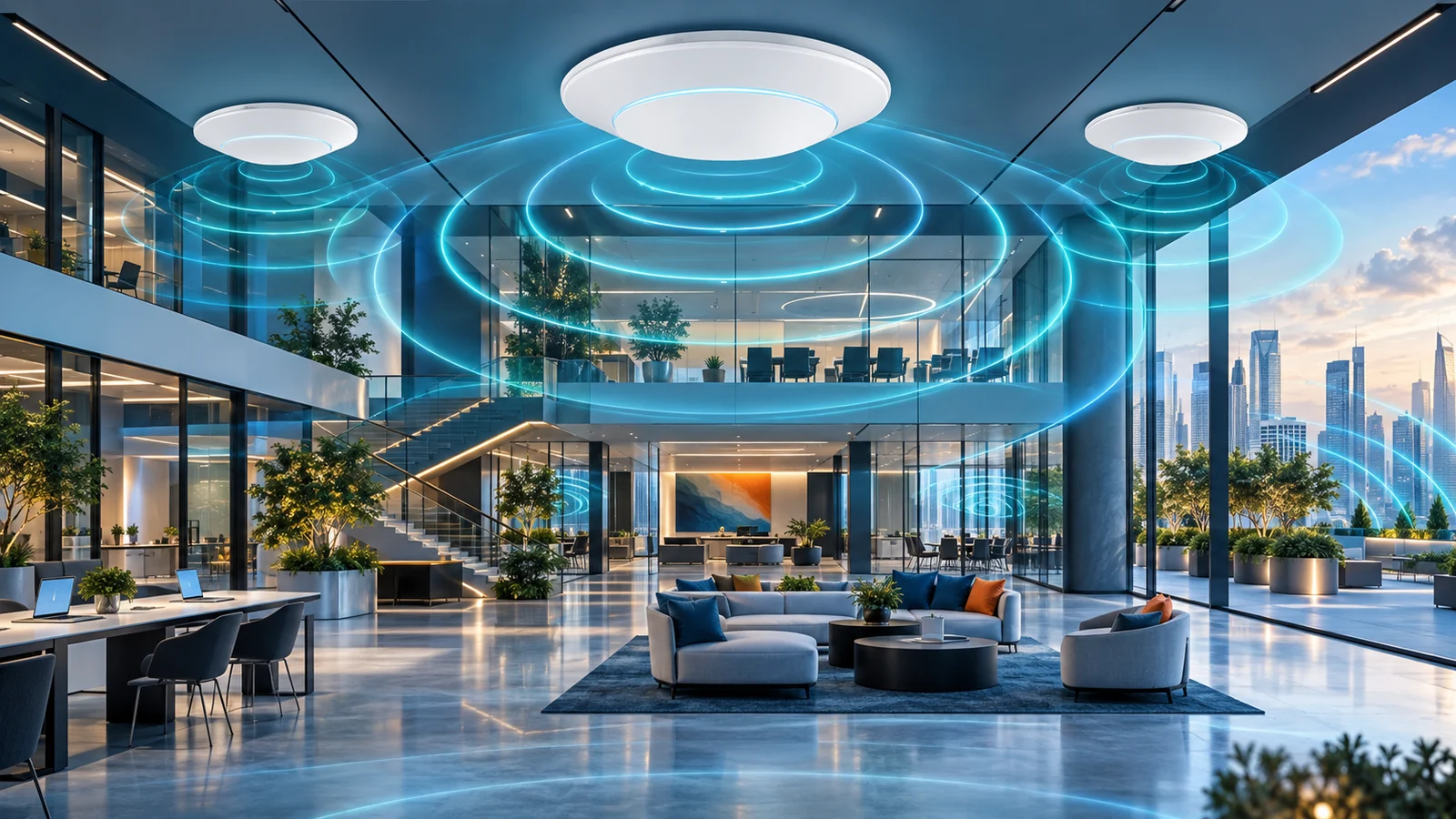
Cisco's current Catalyst wireless lineup spans Wi-Fi 6E access points like the 9162, 9164, 9166, and 9163E outdoor model, alongside a newer Wi-Fi 7 family. Here's how the models differ and where each one fits.
Key Points
- Cisco's 9160 series (9162I, 9164I, 9166I/9166D1) covers entry through high-density Wi-Fi 6E indoor access points.
- The Catalyst 9163E extends Wi-Fi 6E's 6 GHz band outdoors with an IP67-rated, weatherized enclosure.
- Cisco's Wi-Fi 7 access points (9171 through 9179F) add multi-link operation and wider 320 MHz channels on top of the same 6 GHz spectrum.
- Most current Catalyst access points can run either on-premises via Catalyst 9800/DNA Center or cloud-managed via Meraki, without swapping hardware.
- Licensing (DNA/Catalyst Center subscription or Meraki license) is a separate, ongoing cost from the access point hardware MSRP.
Cisco's current Catalyst wireless portfolio spans two generations at once: a mature Wi-Fi 6E lineup built around the 9160 series (9162I, 9164I, 9166I/9166D1, and the outdoor 9163E), and a newer Wi-Fi 7 lineup that runs from the compact 9171 up through the high-density 9178I and 9179F. Both generations use the same 6 GHz spectrum, which is where most of the buyer confusion starts - the practical differences that actually affect a deployment are elsewhere: radio architecture, antenna type, indoor/outdoor rating, and how much a given model costs to power and license.
Wi-Fi 6E vs. Wi-Fi 7: What Actually Changed
Wi-Fi 6E is not a new wireless standard on its own - it's Wi-Fi 6 (802.11ax) extended into the 6 GHz band. Wi-Fi 7 (802.11be) is a genuinely new standard that also uses 6 GHz, but adds capabilities on top of it. That distinction matters when you're comparing access points, because a Wi-Fi 6E and a Wi-Fi 7 access point can both advertise "6 GHz support" while behaving very differently under load.
The 6 GHz Band Both Generations Share
Before Wi-Fi 6E, every Wi-Fi client and access point was competing for airtime in the same crowded 2.4 GHz and 5 GHz bands - the same bands used by a decade of legacy laptops, phones, IoT sensors, and neighboring networks. The 6 GHz band opened up a large block of new, largely uncongested spectrum that only Wi-Fi 6E and Wi-Fi 7 devices can use, since older clients simply don't have the radio hardware to see it. In practice, that means a 6 GHz connection on either generation tends to be cleaner and more consistent, not because the underlying modulation is dramatically faster, but because there's far less contention and legacy interference to work around.
Multi-Link Operation: Wi-Fi 7's Real Advantage
The feature that separates Wi-Fi 7 from Wi-Fi 6E in practice is multi-link operation (MLO). A Wi-Fi 6E client associates to one band at a time; if that band gets noisy, the client has to disconnect and reconnect on another band or channel. An MLO-capable Wi-Fi 7 client can maintain simultaneous links across multiple bands at once, letting the access point steer traffic to whichever link is least congested in real time, or use more than one link together for a single session. Cisco's Wi-Fi 7 access point datasheets describe this as a core capability of the platform rather than an optional add-on, and it's the main reason Wi-Fi 7 is positioned as a latency and reliability upgrade for demanding applications (voice, video conferencing, AR/VR) rather than purely a peak-throughput upgrade. Wi-Fi 7 access points also support wider 320 MHz channels in the 6 GHz band, versus a 160 MHz maximum on Wi-Fi 6E, though realizing that benefit depends on having 320 MHz of contiguous, unlicensed spectrum available and clients capable of using it.
It's worth being realistic about adoption timing, too. MLO and 320 MHz channels only matter once client devices support them, and Wi-Fi 7 client hardware is still working its way into laptops, phones, and especially fixed IoT and AV equipment that tend to stay in service for years. A Wi-Fi 7 access point deployed today will still serve older Wi-Fi 6E and Wi-Fi 6 clients perfectly well - it just won't show its full advantage until enough of the client fleet catches up, which is a normal lag with every new Wi-Fi generation and shouldn't be read as a flaw in the access point itself.
The Catalyst 9160 Series: Cisco's Wi-Fi 6E Indoor Access Points
Cisco's indoor Wi-Fi 6E access points are sold as a tiered family rather than a single model, so the right choice depends on client density and ceiling height as much as raw specification.
Catalyst 9162I: The Entry Point
The 9162I is Cisco's entry Wi-Fi 6E access point. It uses 2x2 MIMO radios across all three bands (2.4, 5, and 6 GHz) with internal omnidirectional antennas, for a total of six spatial streams across the device. Cisco positions it for small-to-medium deployments - branch offices, smaller retail locations, and lower-density spaces where the goal is adding 6 GHz coverage without paying for high-density radio hardware that space doesn't need.
Catalyst 9164I: The Mid-Tier Step Up
The 9164I moves up to 4x4 MU-MIMO with four spatial streams on both the 5 GHz and 6 GHz radios, while keeping 2x2 (two spatial streams) on 2.4 GHz - reflecting the fact that 2.4 GHz capacity is rarely the bottleneck in a modern deployment. It uses integrated omnidirectional antennas (with slightly different gain per band) and is built around three 4x4-class radios overall, which Cisco positions for higher client density and more demanding, "mission-critical" indoor deployments than the 9162I covers - typical mid-size offices, classrooms, and general enterprise space.
Catalyst 9166I and 9166D1: The High-Density Flagship
The 9166 series sits at the top of the indoor Wi-Fi 6E lineup. It uses three 4x4 radios, including what Cisco calls a dual-band XOR radio that can dynamically shift capacity between the 5 GHz and 6 GHz bands depending on which one needs it at a given moment, with an aggregate PHY data rate cited up to roughly 7.78 Gbps in an optimal configuration. It comes in two antenna variants: the 9166I with integrated omnidirectional antennas for standard ceiling heights, and the 9166D1 with integrated directional antennas, purpose-built for high-ceiling spaces like auditoriums, warehouses, and other large open areas where an omnidirectional pattern would waste signal into empty space above the antenna. The D1 variant is specifically meant to avoid the extra cost and complexity of adding external, aftermarket antennas to reach the floor from a high mount point.
Catalyst 9163E: Taking Wi-Fi 6E Outdoors
Every model above is built for indoor use. The Catalyst 9163E is Cisco's outdoor Wi-Fi 6E access point, built into a weatherized, ruggedized enclosure rated IP67 - fully dust-tight and rated to withstand temporary submersion - with an operating range from -40°F to 149°F without solar derating (narrowing to 131°F under direct sun load). Cisco positions it for campus outdoor areas, municipal Wi-Fi deployments, stadiums, and airport hangars: essentially anywhere an organization wants to extend clean 6 GHz coverage into large open-air or semi-exposed spaces where crowd density and RF interference are both high. Functionally it carries the same Wi-Fi 6E band support (2.4/5/6 GHz) as the indoor 9160 family - the differentiator is entirely the enclosure and environmental rating, not the radio generation.
Cisco's Wi-Fi 7 Access Points
Cisco's Wi-Fi 7 lineup is broader than the Wi-Fi 6E family, spanning several tiers from compact/lower-density up to ultra-high-performance. At the entry end, the 9171 is built for lower-density environments in a compact form factor. The 9172I/9172H and 9174I/9174E models step up through moderate and moderate-to-high density use cases. The 9176I (omnidirectional) and 9176D1 (directional) are high-performance models aimed at high-density environments, mirroring the indoor/high-ceiling split seen on the Wi-Fi 6E 9166 series. At the top, the 9178I is Cisco's ultra-high-performance indoor Wi-Fi 7 access point, and the 9179F is built for ultra-high-density large public venues (stadiums, arenas, convention centers) with both indoor and outdoor deployment options. Outdoor Wi-Fi 7 coverage is handled by the 9177 series (9177I/9177D/9177E), Cisco's high-density outdoor counterpart to the indoor family.
The 9178I illustrates what a flagship Wi-Fi 7 access point actually does differently: it's built around a flexible tri-radio or quad-radio design. In tri-radio mode it runs one 4x4 radio per band (2.4, 5, and 6 GHz) with four spatial streams each; in quad-radio mode it adds a second 5 GHz radio to handle additional concurrent client load, while still supporting 4x4 uplink/downlink MU-MIMO on 2.4 GHz and 6 GHz. It supports channel widths up to 320 MHz on the 6 GHz band, and Cisco describes it as a "global use" device - the same hardware can be configured for different regulatory domains in software, rather than requiring region-specific SKUs, which simplifies stocking for organizations deploying across multiple countries.
Comparing the Lineup - and Choosing the Right AP
The table below lines up the models discussed above by generation, radio design, and where Cisco positions each one:
| Model | Wi-Fi generation | Form factor | Radio design | Best for |
|---|---|---|---|---|
| Catalyst 9162I | Wi-Fi 6E | Indoor, omnidirectional | 2x2 all bands (6 streams total) | Small/medium deployments, branch offices |
| Catalyst 9164I | Wi-Fi 6E | Indoor, omnidirectional | 4x4 on 5/6 GHz, 2x2 on 2.4 GHz | Mid-size offices, higher-density spaces |
| Catalyst 9166I | Wi-Fi 6E | Indoor, omnidirectional | Three 4x4 radios incl. dual-band XOR radio | High-density indoor, standard ceilings |
| Catalyst 9166D1 | Wi-Fi 6E | Indoor, directional | Same as 9166I | High ceilings: warehouses, auditoriums |
| Catalyst 9163E | Wi-Fi 6E | Outdoor, IP67 | Comparable to 9160 indoor family | Campus outdoor, stadiums, municipal Wi-Fi |
| Catalyst 9178I | Wi-Fi 7 | Indoor, tri/quad-radio | 4x4 per band, MLO, up to 320 MHz channels | Ultra-high-performance, high-density indoor |
| Catalyst 9177 series | Wi-Fi 7 | Outdoor | Comparable Wi-Fi 7 radio design | High-density outdoor venues |
Working through a real deployment usually comes down to three questions. First, indoor or outdoor - that alone eliminates half the lineup immediately (9163E or the 9177 series outdoors; everything else indoors). Second, ceiling height and open-space layout - a warehouse, gymnasium, or auditorium with a high ceiling points toward a directional model (9166D1, or the directional Wi-Fi 7 equivalents) rather than an omnidirectional one, regardless of Wi-Fi generation. Third, client density and how forward-looking the deployment needs to be: a branch office or small retail site rarely needs more than a 9162I-class access point, while a conference center, stadium concourse, or trading floor with hundreds of concurrent high-bandwidth clients justifies the added cost of a 9166-class Wi-Fi 6E unit or, if the client devices in use already support it, a Wi-Fi 7 model with MLO. Because most current Wi-Fi 6 and 6E clients (phones, laptops) don't yet take advantage of Wi-Fi 7's multi-link capability, the honest justification for jumping straight to Wi-Fi 7 today is usually future-proofing a high-traffic space rather than an immediate throughput problem on existing devices.
Antenna type is also easy to get wrong on paper. An omnidirectional model looks like the "safe default" because it radiates in every direction, but in a warehouse or gymnasium with a 25-30 foot ceiling, most of that signal is wasted upward and outward past the walls rather than reaching the floor where people and devices actually are. A directional model mounted at the same height concentrates its signal downward into the working area, which is why Cisco sells matched directional variants (9166D1, and the directional Wi-Fi 7 models) rather than expecting installers to bolt on third-party high-gain antennas after the fact - doing so on an integrated-antenna access point isn't supported and can void the radio's regulatory certification.
Management and Licensing: Catalyst/DNA Center vs. Meraki Cloud
Every access point discussed above ships as what Cisco calls a flexible-deployment device: the same hardware can run in two different management modes, and switching between them doesn't require buying different access points.
- On-premises via Catalyst 9800 Wireless Controllers, managed through Catalyst Center (the renamed Cisco DNA Center) - this path gives you 3D RF visualization for planning and troubleshooting coverage, an AI assistant for network operations, and unified management alongside wired infrastructure and, in SD-Access environments, IT/OT convergence. It suits organizations that already run Catalyst switches and controllers on-site and want wireless managed from the same console.
- Cloud-managed via the Meraki dashboard - Meraki's own access point portfolio spans Wi-Fi 6, 6E, and 7 models, and its dashboard model emphasizes AI-driven radio optimization, automated root-cause analysis for issues, and centralized visibility across many sites without needing an on-site controller. This is generally the simpler path for distributed organizations managing many small sites where deploying and maintaining local wireless controllers isn't practical.
Cisco's own datasheets for the 9160/9163 family note explicitly that a network "can be changed to cloud-based management without the need to purchase and redistribute additional hardware" - meaning the management-model decision doesn't have to be locked in permanently at the time of purchase, though moving a fleet from one mode to the other later is still an operational project, not a toggle switch.
Licensing is where the two paths diverge financially. A Meraki-managed access point requires an active Meraki license tied to the device to remain cloud-managed and supported - the hardware alone isn't the complete purchase. On the Catalyst 9800/DNA Center side, the deeper automation, assurance, and analytics features (similar to the DNA Essentials/Advantage tiers used for Catalyst switches) are also sold as a subscription layered on top of the hardware and controller. Either way, budgeting an access point refresh purely off the AP's GPL/MSRP will understate the real cost - the ongoing license is a recurring line item that needs to be planned for the life of the deployment, not just the purchase year. Access points with higher power draw, particularly quad-radio Wi-Fi 7 models and 4x4 Wi-Fi 6E units, also warrant checking PoE budget on the upstream switch - a high-density access point that can't get full power from its switch port won't perform to its rated specification.
Checking Current MSRP
Part numbers, antenna variants, and license bundles across Cisco's Wi-Fi 6E and Wi-Fi 7 access point families change as new models are introduced and older ones move toward end-of-sale. Browse the current Cisco wireless access point catalog on GlobalPriceList.com, updated daily, to check current MSRP by exact part number before requesting a quote from a reseller.
Related Cisco guides: Compare the newest outdoor platforms in Cisco CW9177 vs CW9179F. Plan AP power and uplinks with the Catalyst switch comparison, then confirm the software tier in the Cisco DNA licensing guide.
If cloud-managed wireless is also on the shortlist, compare the operating approach and hardware choices in our Meraki Wi-Fi 6E vs Wi-Fi 7 guide.
Sources
- Cisco Catalyst Wireless Access Points - Cisco
- Cisco Catalyst 9166 Series Access Points Data Sheet - Cisco
- Cisco Catalyst 9164 Series Access Points Data Sheet - Cisco
- Cisco Catalyst 9162 Series Access Points Data Sheet - Cisco
- Cisco Catalyst 9163E Access Point Data Sheet - Cisco
- Cisco Catalyst 9178 Series Access Point Data Sheet - Cisco
- Cisco Catalyst Center - Cisco
- Cisco Meraki Access Points - Cisco
FAQ
What's the practical difference between Wi-Fi 6E and Wi-Fi 7 access points?
Both use the same 6 GHz band, but Wi-Fi 7 adds multi-link operation (simultaneous connections across bands) and wider 320 MHz channels. In practice, Wi-Fi 7's biggest benefit is reliability and lower latency, since most current client devices don't yet fully exploit its peak throughput.
What's the difference between the Catalyst 9166I and 9166D1?
They share the same radio hardware. The 9166I uses omnidirectional antennas for standard ceiling heights, while the 9166D1 uses directional antennas built for high-ceiling spaces like warehouses and auditoriums, avoiding the need for external add-on antennas.
Can the same Cisco access point be managed on-premises and later switched to Meraki cloud?
Yes. Cisco's current Catalyst Wi-Fi 6E and Wi-Fi 7 access points are built to run under either Catalyst 9800/Catalyst Center on-premises management or the Meraki cloud dashboard, and Cisco states a network can move between the two without replacing hardware.
Does the access point hardware price include the management license?
No. Meraki-managed access points require an ongoing Meraki license, and Catalyst 9800/Catalyst Center deployments typically add a separate DNA/Catalyst Center subscription for full assurance and automation features - both are recurring costs on top of the AP's hardware MSRP.
Check Current Cisco Pricing
Browse the full, daily-updated Cisco GPL on GlobalPriceList.com.
View Cisco Price List See Cisco Price History