Cisco Catalyst 9200 vs 9300 vs 9500: Which to Choose?
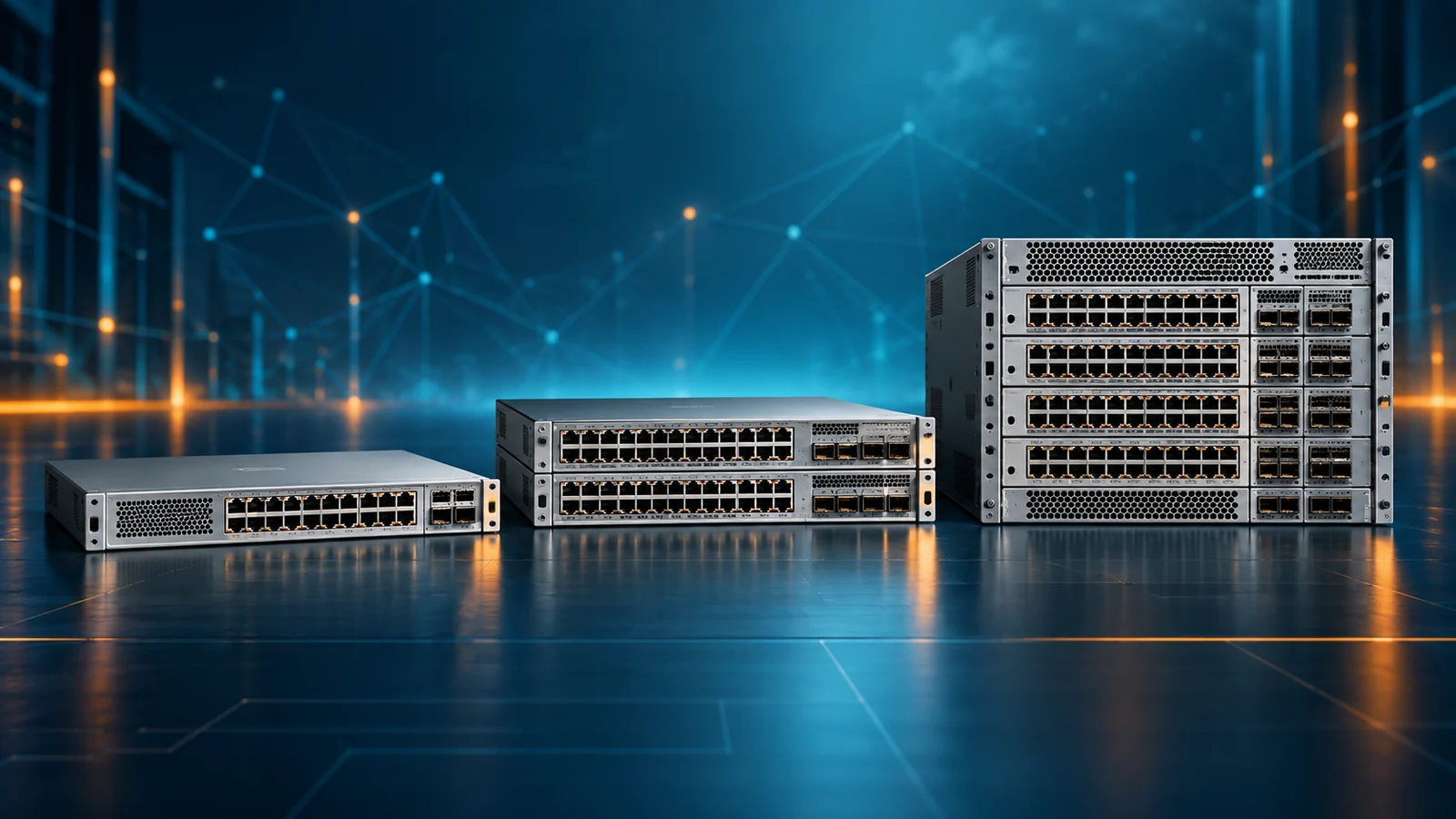
Cisco's Catalyst 9000 family spans entry access (9200), standard access (9300), and core/aggregation (9500). Here's how to tell which tier your network actually needs.
Key Points
- Catalyst 9200 = entry-level access switch for small branches and low-density closets.
- Catalyst 9300 = the standard access-layer workhorse for most mid-size/enterprise campuses.
- Catalyst 9500 = fixed-core switch for campus core/aggregation, not end-user access.
- All three require a separate DNA software license tier (Essentials/Advantage) beyond hardware MSRP.
- Sizing the core (9500) wrong is more costly to fix later than a mis-sized access switch.
Cisco's Catalyst 9000 family covers three tiers built for different places in the network: the 9200 for access-layer basics, the 9300 as the workhorse access switch for most mid-size and enterprise campuses, and the 9500 for core and aggregation. Picking the wrong tier usually means either overpaying for capacity you don't need, or running into a stacking/throughput wall within a year or two.
Start With the Network Role, Not the Model Number
The most important distinction is architectural. Catalyst 9200 and 9300 models are primarily access switches: they connect users, phones, cameras, printers, and wireless access points at the edge of a campus or branch. Catalyst 9500 models are built for distribution and core roles: they aggregate access switches and move traffic between buildings, services, and upstream networks. Port count alone does not make these roles interchangeable.
For an access layer, collect the number and speed of client-facing ports, PoE demand, uplink capacity, stacking requirements, and the features used at the edge. Count devices rather than desks. A single workspace can consume ports for a phone, computer, access point, camera, or building system. Include spare capacity for growth and failures, but do not assume that every unused patch-panel port needs an active switch port on day one.
For a core or distribution layer, focus on aggregate bandwidth, redundant paths, routing scale, convergence, high-speed optics, and the effect of a maintenance event. The core should carry the combined demand of several access closets without becoming the bottleneck. It also needs a design that lets you upgrade software or replace a failed component without disconnecting the campus.
This role-first approach prevents two common mistakes: purchasing a Catalyst 9500 because its high-speed ports look attractive for an access closet, or using an access switch as a core because it has enough ports for the initial diagram. The correct family becomes clearer after the traffic path and failure model are defined.
Catalyst 9200: Entry-Level Access
The 9200 series is Cisco's replacement for the older 2960-X line - a fixed-configuration access switch aimed at branch offices and lower-density wiring closets. It supports basic stacking, PoE+/UPOE options on select models, and integrates with Cisco DNA Center for centralized management, but it sits below the 9300 in throughput, stacking bandwidth, and the depth of security/segmentation features it can run. For a small branch with a handful of APs and desktop phones, the 9200 is usually enough; it's the tier most likely to be under-specced if the site is expected to grow into higher-density Wi-Fi or more demanding PoE devices within a couple of years.
Catalyst 9300: The Default Access-Layer Workhorse
The 9300 series is Cisco's most widely deployed access switch, and for good reason - it's the tier that comfortably covers most real-world wiring closets. It supports higher-bandwidth stacking (StackWise-480 or StackWise-1T depending on model generation), UPOE+ for power-hungry devices like Wi-Fi 6/6E access points and PTZ cameras, and the segmentation and security features - including SD-Access support - that mid-size and enterprise networks typically need as they mature. If you're not sure which tier fits a new wiring closet refresh, the 9300 is the safer default: it has enough headroom that you're unlikely to outgrow it before the next refresh cycle.
Catalyst 9500: Core and Aggregation
The 9500 series is a fixed-core switch built for campus core or aggregation layers rather than end-user access. Instead of stacking for port density, it's designed around high-throughput fixed uplinks (commonly 10/25/40/100G depending on the specific model) and is typically paired with 9300 access switches feeding traffic up into it. Sizing a 9500 wrong at the core tends to be more expensive to fix later than a mis-sized access switch - a core swap touches the whole campus, not one closet - so this is where it's worth spending the most time on capacity planning and growth projections before ordering.
Catalyst 9500 is available in multiple port-speed and performance profiles, so the family name is not a complete specification. Confirm the exact port mix, supported optics, power supplies, airflow direction, forwarding scale, and redundancy design. A core purchase also needs an optics and cabling plan; budgeting only the chassis or fixed switch MSRP can omit a meaningful part of the installed cost.
| Series | Best for | Typical placement |
|---|---|---|
| Catalyst 9200 | Small branch offices, lower-density closets | Access layer (entry) |
| Catalyst 9300 | Most mid-size & enterprise wiring closets | Access layer (standard) |
| Catalyst 9500 | Campus core / aggregation | Core / distribution |
Compare Ports, PoE, Stacking, and Uplinks
Access-port speed: Standard 1 Gigabit Ethernet remains sufficient for many endpoints, but newer access points and high-performance workstations can justify multigigabit ports. Do not apply that requirement to every port automatically. Map multigigabit demand to actual devices and growth plans, then choose the model and module mix that meets it.
Power over Ethernet: Add the maximum power requirements of phones, cameras, access points, sensors, and other powered devices, then compare that total with the switch or stack power budget. Port count does not guarantee that every port can deliver the maximum PoE class at the same time. Power-supply selection, redundancy mode, and shared stack power can change the available budget. Wi-Fi upgrades are a frequent reason an older closet runs out of power before it runs out of ports.
Stacking: A physical stack can simplify management and provide cross-member resiliency, but it also creates design rules for cables, member compatibility, software versions, and upgrade procedures. The 9200 and 9300 families use different stacking capabilities, and individual variants within a family can differ. Specify the required stack kit and cables on the bill of materials; they should not be assumed to be included.
Uplinks: Access uplinks must carry traffic from every connected endpoint and should be designed for both normal operation and a link failure. Check whether uplinks are fixed or modular, which network modules are supported, and whether the selected optics match the fiber plant. For the core, verify port breakout support and the exact speeds needed now and at the next access refresh.
Redundancy: Decide whether the requirement is redundant links, redundant stack members, redundant power supplies, or a fully redundant distribution/core pair. These protect against different failures. A design with two uplinks to one upstream device is not equivalent to a design with two independent upstream devices.
If the environment is moving to higher-capacity campus switching, also compare the newer platforms in the Catalyst 9000X guide. The X-series can be relevant when higher-speed uplinks, greater scale, or newer security capabilities are firm requirements rather than future possibilities.
Licensing: Don't Forget the Software Tier
Catalyst 9000 switches are sold with a DNA software subscription (typically Essentials or Advantage tiers) that gates which features are available - basic switching versus advanced analytics, assurance, and full SD-Access. The hardware GPL price and the software license are usually two separate line items on a quote, and the license is often billed as a term subscription rather than a one-time cost. When comparing "total cost" between two options, make sure you're comparing hardware-plus-license-term against hardware-plus-license-term, not just the switch MSRP on its own - it's a common way two quotes end up looking closer or further apart than they actually are.
Cisco licensing terminology and packaging can change over a product lifecycle, so confirm what is mandatory for the exact SKU and what remains available after a subscription term ends. Record the network license level, subscription tier, term, support coverage, and management platform assumptions for every device. A quote that lists only the switch PID is not a complete lifecycle budget.
Choose features before choosing the tier. If the design uses advanced routing, segmentation, automation, or assurance capabilities, map each requirement to the applicable entitlement and software release. If the switch will operate as a straightforward branch access layer, do not pay for a higher tier merely because it appears in a default bundle. The Cisco DNA license tier comparison provides a detailed budgeting framework.
A Practical Way to Decide
If you're staring at a wiring closet refresh and unsure which tier to spec, start from three questions: how many ports do you need today and in three years, what's your PoE power budget (especially if you're deploying Wi-Fi 6E APs or PTZ cameras), and do you need SD-Access or advanced segmentation now or in the near future. A "yes" to growth or advanced segmentation generally points to the 9300 over the 9200; a core/aggregation role with high east-west or uplink throughput points to the 9500 regardless of port count.
Then test the choice against failure and maintenance scenarios. Can a remaining stack member carry critical endpoints after a failure? Can the surviving core path carry the expected traffic? Are spare power, optics, and stack components available? Can the chosen software and license combination support the intended routing and segmentation design? A model that passes the normal-operation test but fails the maintenance test is undersized.
Three Deployment Examples
Small branch: A site with users, phones, a few cameras, and two access points may fit a Catalyst 9200 when 1G access, moderate PoE, and straightforward Layer 2 or light Layer 3 services are enough. The bill of materials still needs uplinks, optics, stack components if used, power supplies, licenses, and support. Growth in cameras or wireless should be reflected in the PoE calculation.
Enterprise wiring closet: A campus closet serving dense Wi-Fi, building systems, and segmented user networks is usually a stronger Catalyst 9300 case. Higher stack bandwidth, greater PoE flexibility, multigigabit options, and broader feature headroom justify the price when those capabilities are actually part of the design. Access switches can uplink redundantly to a distribution or core pair.
Campus core: Multiple access stacks aggregating at 10G or faster point toward a Catalyst 9500 pair selected for the required port speeds and routing scale. The design should include diverse fiber paths, compatible optics, redundant power, and enough capacity for a failed link or device. If chassis modularity or scale beyond fixed-core platforms is required, the comparison should expand beyond these three families rather than forcing the 9500 into every core scenario.
Mixed designs are normal. A campus can use 9200 models in small buildings, 9300 models in high-density closets, and 9500 models at distribution or core. Standardize where it reduces operational complexity, but do not let standardization erase real differences in role and capacity.
Catalyst Buying Checklist
- Document the access, distribution, or core role for every switch.
- Count required 1G, multigigabit, and high-speed ports plus realistic growth.
- Calculate PoE demand by device and validate the power-supply configuration.
- Specify uplink modules, stack kits, cables, transceivers, and fiber type.
- Check forwarding, routing, MAC, and policy scale against the intended design.
- Map required features to the correct network and subscription license tiers.
- Design for link, member, power, and upstream-device failures.
- Compare hardware, software term, support, optics, and spares as one total cost.
Finally, validate every line item against Cisco's compatibility and ordering information before purchase. Similar product names can hide meaningful differences in uplinks, PoE, airflow, power, or software support.
For a fair commercial comparison, give every reseller the same design assumptions and request an itemized bill of materials. Each proposal should identify the exact switch PID, power supplies, network modules, stack hardware, optics, licenses, subscription term, and support service. Ask the reseller to flag required zero-cost selections as well as paid items; omitted configuration choices can delay an order even when they do not change MSRP.
Review the proposal with both network operations and procurement. Operations should validate compatibility, capacity, failure behavior, and software standards. Procurement should normalize currency, term, discount, freight, taxes, and renewal exposure. Keep a dated export of the accepted configuration so replacements and later rollout phases can be checked against the original decision. This process matters more than chasing the lowest isolated switch price.
Checking Current MSRP
Before requesting quotes, it's worth checking current MSRP for the specific part numbers you're considering: browse the full Cisco switches catalog on GlobalPriceList.com, which is updated daily and lets you search by exact part number instead of relying on a vendor's outdated price sheet.
Lower-cost branch alternative: If Catalyst 9000 capabilities are more than the site requires, compare the subscription-free business switching tiers in Cisco Catalyst 1200 vs 1300 vs 1300X.
If the network role is still undecided, compare Nexus vs Catalyst for data-center and campus roles and Meraki vs Catalyst management approaches. Then verify the required device tier in our Network Essentials vs Network Advantage guide.
Sources
FAQ
What is the main difference between Catalyst 9200 and 9300?
The 9300 supports higher-bandwidth stacking, more power budget (UPOE+) for devices like Wi-Fi 6/6E APs and cameras, and more advanced security/segmentation features. The 9200 is a lighter, lower-cost option for smaller branches or lower-density closets.
Can a Catalyst 9500 be used as an access switch?
It can, but it's designed and priced for core/aggregation roles with high-throughput fixed uplinks rather than end-user port density, so it's rarely the cost-effective choice for access layer deployments.
Do Catalyst 9000 switches need a separate license?
Yes. Cisco sells Catalyst 9000 switches with a DNA software subscription (typically Essentials or Advantage) that determines which features are available, billed separately from the hardware MSRP.
Where can I check current pricing for Catalyst 9000 switches?
GlobalPriceList.com's Cisco switches catalog is updated daily and lets you search by exact part number to see current MSRP before requesting a reseller quote.
Check Current Cisco Pricing
Browse the full, daily-updated Cisco GPL on GlobalPriceList.com.
View Cisco Price List See Cisco Price History