Juniper QFX Switch Guide: Models and Roles
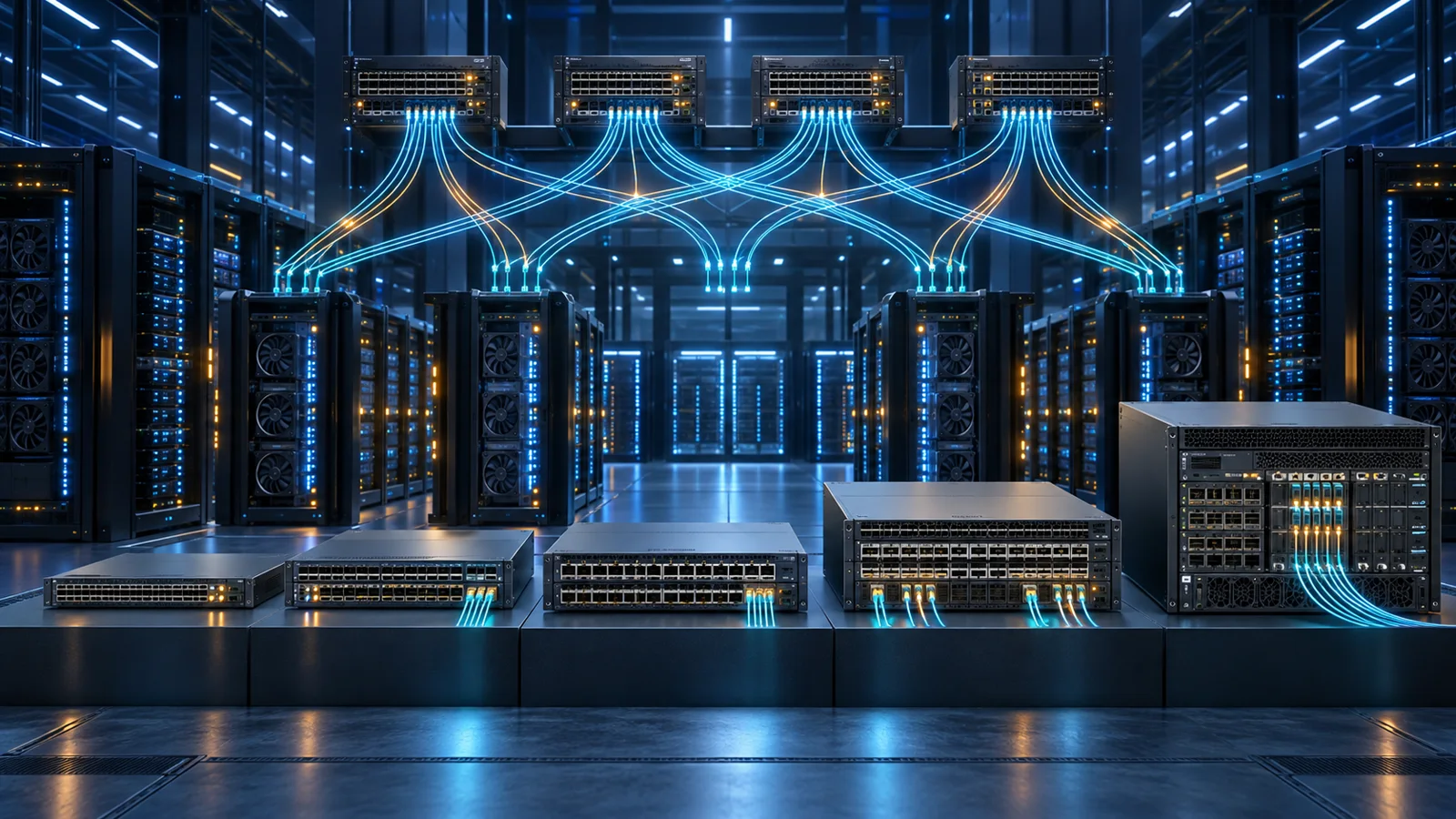
Map Juniper QFX5100, QFX5120, QFX5130, QFX5200, QFX5240, QFX5700 and QFX10000 switches to leaf, spine, DCI and campus-core roles.
Key Points
- QFX is Juniper's high-performance switching family for data-center leaf/spine, DCI and selected campus-core designs.
- Port speed and count are only the first filter; buffers, MACsec, routing scale, airflow and optics drive many real deployments.
- QFX5120 and QFX5130 cover common 25/100/400GbE leaf-spine roles, while QFX5240 extends the family into 800GbE AI fabrics.
- EVPN-VXLAN can be operated directly in Junos or through automation platforms such as Apstra Data Center Director.
- QFX Flex software tiers and Mist/automation subscriptions should be checked separately from hardware pricing.
Juniper QFX switches cover everything from established 10/25GbE top-of-rack designs to 800GbE AI data-center fabrics. That breadth makes “which QFX?” a design question rather than a simple model comparison. This guide maps the major QFX families to leaf, spine, data-center interconnect and modular-core roles and highlights the details that should be verified before pricing optics and licenses.
Juniper QFX vs EX
EX Series is primarily associated with enterprise access, distribution and campus core, while QFX focuses on high-throughput data-center fabrics and advanced core roles. There is overlap: selected QFX models can serve campus distribution/core, and some EX platforms can participate in EVPN-VXLAN. The difference is best understood through port density, buffer and scale requirements rather than the logo on the front.
If the need is 48 copper access ports with PoE for users and APs, start with the Juniper EX guide. If the design calls for dense 25/100/400GbE server and fabric links, QFX is the natural shortlist.
Define Fabric Requirements Before Choosing a QFX
Start with the topology and traffic pattern. A leaf-and-spine IP fabric, a collapsed core, a data-center interconnect, and a campus distribution layer can use similar port speeds while requiring different buffers, routing scale, convergence, encryption, and operational tooling. Document which devices connect at the edge, which flows cross the fabric, and what must continue working during a link or switch failure.
Build a port worksheet using native speeds and breakout requirements. Count server, storage, firewall, router, inter-switch, and management connections separately. Include the speed expected during the switch lifetime rather than only the day-one server NIC. A design that consumes every high-speed port at launch has no space for new racks, redundant appliances, or a staged migration.
Set an oversubscription target from workload evidence. General enterprise applications may tolerate more oversubscription than storage, GPU, high-performance computing, or heavy east-west analytics. Model both normal operation and a failed uplink or spine. The surviving paths must carry the intended load without turning a planned redundancy event into a congestion event.
Define physical constraints as hard requirements: rack depth, airflow direction, acoustic environment, power feeds, rail kits, optic reach, fiber type, and supported cable assemblies. Front-to-back and back-to-front variants often use different orderable SKUs. A technically correct switch with the wrong airflow or power option is still the wrong bill of materials.
Juniper QFX Family Comparison
| Family | Typical role | Port-speed focus | Why it is shortlisted |
|---|---|---|---|
| QFX5100 / 5110 | Legacy/installed leaf and aggregation | 10/40/100GbE by model | Mature Junos deployments and existing fabrics |
| QFX5120 | Leaf or smaller spine | 10/25GbE downlinks, 40/100GbE uplinks; model-dependent | Flexible, widely used EVPN-VXLAN foundation |
| QFX5130 | 100/400GbE leaf or spine | Up to 400GbE with breakouts | Higher-density modern fabrics and MACsec options |
| QFX5200 / 5220 / 5230 | Leaf/spine and large IP fabric | 25/100/400GbE by generation | Low latency and scale across several configurations |
| QFX5700 | Dense 400GbE spine, DCI or campus core | Up to 32 x 400GbE; extensive breakouts | Large EVPN-VXLAN fabrics and flexible port profiles |
| QFX5240 / 5250 | AI data-center leaf/spine | 400/800GbE | Very high bandwidth for AI/ML and large fabrics |
| QFX10000 | Modular spine/core | High-density 40/100/200GbE by line card | Deep buffers, modular scale and long-lived core design |
Choosing a QFX Leaf Switch
Begin with server-facing ports. A conventional enterprise data center may need 10/25GbE SFP28 downlinks and 100GbE uplinks, which makes QFX5120-48Y-class designs a common reference. A new GPU or storage environment may need 100/200/400GbE host links, moving the shortlist toward QFX5130 or newer 800GbE families.
Check breakout behavior, not only native ports. A 400GbE interface can often break into multiple lower-speed links, but supported combinations, optics and cable types vary. Also verify airflow direction. Leaf switches are often ordered in front-to-back or back-to-front variants to match hot-aisle/cold-aisle design; the wrong airflow SKU can derail an otherwise correct order.
Calculate usable uplinks after server ports and redundancy are allocated. A leaf with two uplinks may meet a basic diagram, but four or more links can provide better bandwidth distribution or maintenance flexibility. Check whether breakouts consume adjacent ports or impose profile restrictions, and validate the exact Junos release, optic, and cable combination in Juniper's compatibility information.
Host-facing policy also matters. Decide whether routing terminates on the leaf, whether endpoints use active-active multihoming, and whether storage or appliance clusters have special LACP and hashing requirements. These decisions affect route and MAC scale, EVPN multihoming, failure behavior, and the number of physical links that must be ordered.
Choosing a QFX Spine or Core
A spine is sized from the number and speed of leaf uplinks, desired oversubscription and growth. QFX5700 supports a dense 400GbE profile and Juniper lists up to 25.6 Tbps bidirectional throughput, making it suitable for substantial EVPN-VXLAN fabrics. QFX5240 extends the range to 800GbE for AI and high-performance fabrics.
Modular QFX10000 systems remain relevant when deep buffers, large chassis scale, interface diversity or modular investment protection outweigh the operational simplicity of fixed switches. For DCI, add MACsec, long-distance optics, routing scale and failure-domain design to the port calculation.
Spine capacity should be evaluated as a complete fabric. Multiply leaf count by uplinks per leaf and reserve ports for growth, labs, border leaves, and phased migrations. Confirm that each leaf retains an acceptable path count when a spine is removed for maintenance. If the design requires 400GbE today or 800GbE during the refresh cycle, validate how native ports and breakouts will coexist rather than relying on an aggregate chassis number.
Buffers, Routing Scale, and Traffic Behavior
Port speed does not describe how a switch behaves during bursts. Many modern data-center platforms use shared buffers optimized for low latency, while modular or specialized systems may provide deeper buffering for incast, storage, WAN, or speed-transition workloads. Identify burst-sensitive applications and compare the relevant buffer architecture instead of assuming that more total memory always produces better results.
Check the scale that matches the intended configuration: IPv4 and IPv6 routes, MAC addresses, ARP or neighbor entries, VXLAN network identifiers, EVPN routes, access-control entries, link aggregation groups, and multihoming peers. Published maximums can depend on profile, software release, or the mix of features enabled at the same time. Leave operational headroom for churn and troubleshooting.
Validate forwarding during failures. Convergence time depends on more than hardware capacity: routing timers, BFD, ECMP, link aggregation, EVPN behavior, and application retry patterns all contribute. Test the expected loss and recovery for an uplink, leaf, spine, optic, and maintenance reboot. A fabric that converges quickly in a diagram can still expose an application problem if hashing or endpoint teaming is misaligned.
EVPN-VXLAN and Border Design
EVPN-VXLAN separates the physical IP underlay from tenant or application overlays. The underlay provides routed reachability between fabric nodes; EVPN distributes endpoint and reachability information; VXLAN carries the overlay segments. Decide whether the fabric uses centralized or distributed routing, where external connectivity enters, and how firewalls and legacy VLANs attach.
Border leaves require special attention because they connect the fabric to WAN, internet, security, campus, or older data-center networks. Count external routes and interfaces, design route policy, and define failure behavior if a border device or attached firewall is unavailable. If MACsec is required on inter-building or DCI links, confirm both hardware support and the applicable license.
Use consistent addressing, naming, autonomous-system allocation, and templates. Reserve loopbacks and point-to-point space for growth. Document the source of truth for cables, ports, devices, and intended state. Whether the fabric is configured directly in Junos or through automation, deterministic inputs and peer review are essential for safe scale.
EVPN-VXLAN, Apstra, Mist and Licensing
QFX runs Junos OS or Junos OS Evolved on selected newer platforms and supports EVPN-VXLAN across many models. Operators can configure fabrics directly or use Apstra Data Center Director for intent-based design, deployment and assurance. Selected QFX switches are also supported by Juniper Mist Wired Assurance, but data-center and campus management goals should be separated during design.
Juniper documents Flex software licensing for QFX with standard capabilities plus Advanced 1, Advanced 2 and Premium tiers, available as perpetual or 1/3/5-year subscription SKUs depending on platform class. MACsec and advanced telemetry can have their own entitlements. Hardware compatibility does not guarantee a feature is included in the base license.
Separate three commercial layers: switch hardware, Junos feature entitlements, and management or automation subscriptions. A Mist Wired Assurance subscription is not a substitute for the QFX software tier, and an Apstra subscription serves a different operational purpose. Record the device class, term, support, and renewal date for each entitlement so competing quotes cover the same capabilities and duration.
Automation should include validation and rollback, not only configuration generation. Define pre-change checks, intended-state comparison, staged deployment, post-change tests, and ownership when a check fails. A small representative fabric is useful for qualifying software, optics, and templates before a change reaches production.
QFX Deployment Examples
Enterprise 25GbE leaf: A rack with dual-connected 10/25GbE servers and 100GbE fabric uplinks may shortlist a QFX5120-48Y-class design. Validate uplink count, breakout use, buffer needs, MACsec variant, server teaming, and remaining capacity. The same base model should not be assumed to fit storage simply because the port speeds match.
Modern 100/400GbE fabric: QFX5130 platforms can serve high-density leaf or spine roles with 100/400GbE profiles. Juniper lists QFX5130 variants with different port layouts and MACsec characteristics, so select the exact PID from the topology. Include 400GbE optics, breakouts, fiber, and test equipment in the project cost.
Dense spine or DCI: QFX5700 can support dense 400GbE designs, while newer QFX5230/QFX5240-class platforms address evolving high-bandwidth fabrics. The purchase decision should include routing and EVPN scale, long-distance optics, encryption, and the migration plan from existing speeds.
Modular core: QFX10000 can fit environments that value chassis scale, deeper buffers, or modular interface investment. Model supervisor, fabric, line-card, power, cooling, and sparing requirements as a system rather than comparing only the chassis base price.
QFX Design and Quote Checklist
- Define leaf/spine topology, oversubscription and failure domains.
- Count native ports and every required breakout.
- Validate optics, DAC/AOC reach and hardware compatibility.
- Check buffer, route, MAC and EVPN scale against the design.
- Select the correct airflow, power and rail-kit SKUs.
- Map required Junos, MACsec, telemetry and automation features to licenses.
- Compare current QFX part numbers and prices on https://globalpricelist.com/juniper.
Ask for an itemized quote that identifies every switch, power supply, fan direction, rail kit, optic, cable, software tier, management subscription, and support line. Retain a dated compatibility record and configuration baseline with the purchase. Before approval, have network engineering verify the design assumptions and procurement normalize license terms, discounts, freight, and renewals.
After deployment, monitor link utilization, discards, buffer pressure, route and MAC growth, optic health, and convergence events. Review capacity before adding racks or changing server speeds. This makes the original QFX choice an actively managed design rather than a one-time port-count decision.
Run an acceptance test that reflects the fabric rather than testing each switch in isolation. Validate native and breakout links, LACP, ECMP distribution, routing adjacency, EVPN learning, multihoming, MTU, optic diagnostics, telemetry, and management reachability. Remove an uplink, leaf, and spine in controlled windows and record packet loss, convergence time, and application behavior. Test the maintenance workflow with the same evidence used for failure testing.
Keep the physical and logical source of truth synchronized after installation. Record rack, RU, airflow, serial number, port, cable, optic, peer, IP allocation, software, license, and support status. Undocumented breakouts or emergency cabling changes create capacity and troubleshooting errors later. Review reserved ports and spare strategy during each expansion phase.
For a complete Juniper design, relate the fabric to adjacent layers: use the SRX firewall comparison for security edges and the Wired Assurance guide where supported QFX monitoring is part of the operating model. Validate those management and security dependencies as separate systems rather than assuming the QFX hardware purchase includes them.
Revalidate the chosen model and optics immediately before ordering. Product lifecycle, supported software, lead time, and available transceivers can change between design approval and purchase. Record the verification date and approved substitutions so procurement does not replace a line item by description alone.
Sources
- QFX Series Switches - HPE Juniper Networking
- QFX5130 Specifications - HPE Juniper Networking
- Software Licenses for QFX Series - Juniper Networks
- QFX5120 System Overview - Juniper Networks
FAQ
What is the difference between Juniper EX and QFX?
EX primarily serves enterprise access and campus roles, while QFX focuses on high-speed data-center leaf/spine and advanced core designs. Capabilities overlap on selected models.
Which QFX is best for a 25GbE leaf?
QFX5120-48Y-class models are a common starting point for 10/25GbE server access with 100GbE uplinks. Validate port count, buffers, licensing and lifecycle.
Which Juniper switch supports 800GbE?
QFX5240 and newer QFX5250-class platforms target 800GbE AI data-center fabrics. Exact port configurations depend on model and breakout.
Does QFX support EVPN-VXLAN?
Many QFX platforms support EVPN-VXLAN. Confirm the model, Junos release, scale and required software tier for the intended features.
Can Juniper Mist manage QFX switches?
Selected QFX models are supported by Mist Wired Assurance. Check the current supported-hardware list and subscription requirements.
Check Current Juniper Pricing
Browse the full, daily-updated Juniper GPL on GlobalPriceList.com.
View Juniper Price List See Juniper Price History